Introduction
Welcome to the Fundraising Event Platform User Guide. This documentation is designed to help administrators and staff members effectively manage fundraising events, track donations, and engage with the community.
Purpose & Philosophy
This platform was built with a single objective: to empower NGOs and charities to focus on their mission, not their technology.
We understand that fundraising events are high-energy, fast-paced environments where every second counts. Our goal is to streamline the entire donation lifecycle—from the first click on a landing page to the tax receipt in a donor's inbox.
Key Benefits
- Centralized Management: Control all your campaigns, donor data, and staff volunteers from one secure dashboard.
- Real-Time Engagement: Our Live Mode turns fundraising into a collective experience, displaying donations instantly on big screens to build momentum and encourage more giving.
- Automated Compliance: Tax receipts are generated and emailed automatically, reducing administrative overhead and ensuring happy donors.
- Trust & Transparency: A professional, branded experience gives donors the confidence that their money is going exactly where it should.
Accessing the Platform
The platform is divided into two main areas:
- Public Interface: Accessible to donors and the general public.
- Admin Dashboard: Restricted to organization administrators.
Login URL
To manage your events, navigate to the Admin Login page:
- URL:
http://localhost:5173/login(Local Development) - Production URL: (Your deployed domain)
[!NOTE] If you are an event staff member (volunteer), please ask your administrator for the specific Staff Login link for your event.
Dashboard Overview
Once logged in, you will be greeted by the Global Dashboard.
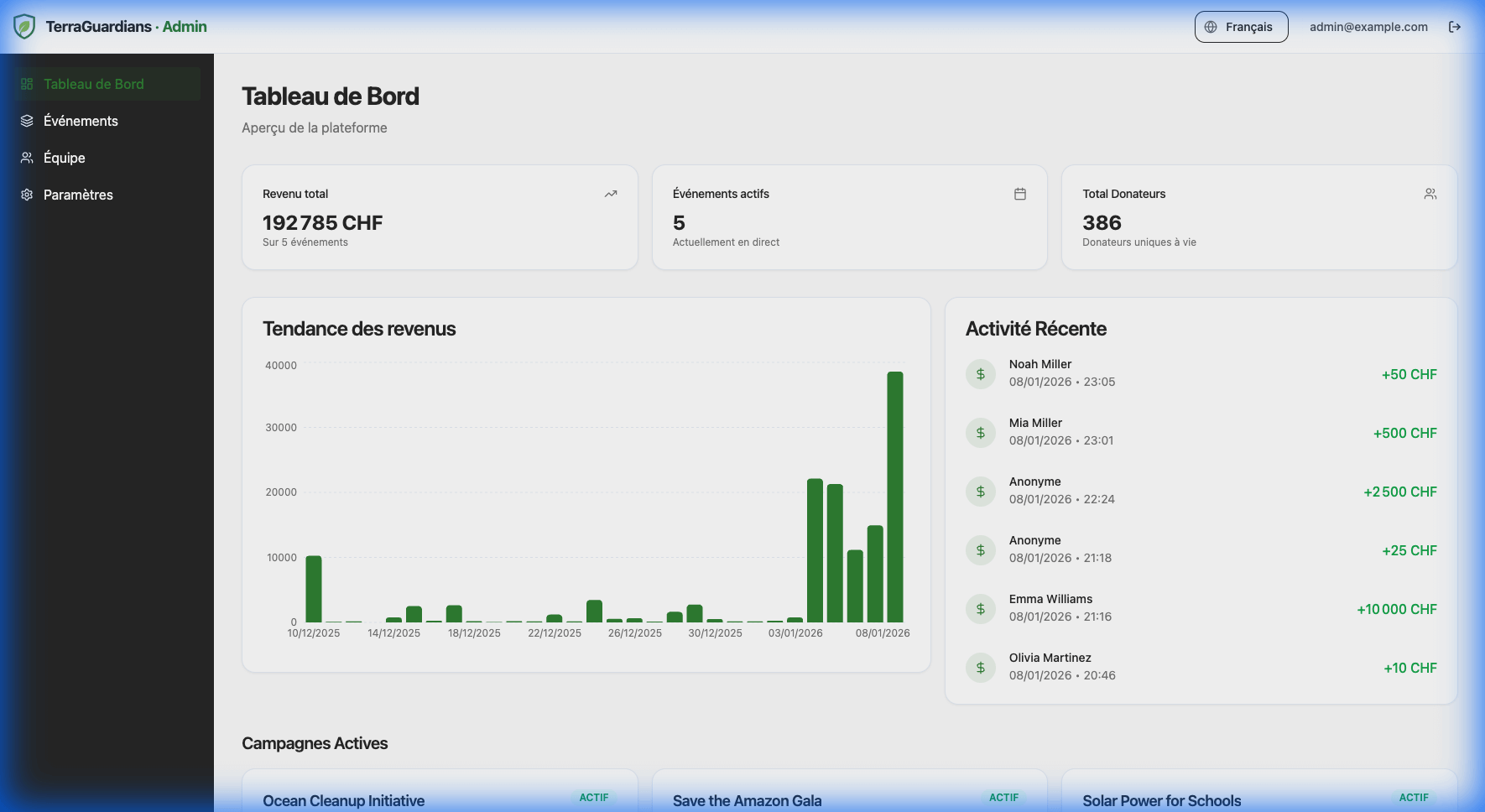
Key Features
- Total Revenue: Aggregate of all donations across all events.
- Active Events: Quick access to your ongoing campaigns.
- Recent Activity: A real-time feed of the latest donations and system events.